Why Reliable Backups Are Crucial for Business Continuity
Data is the backbone of every modern business. Whether you’re running an eCommerce store, SaaS platform, or enterprise system, a reliable backup is the only insurance against disasters like server crashes, ransomware attacks, or accidental deletions. Despite their importance, backups frequently fail without warning. Many businesses only realize the problem when they attempt a restore and find nothing usable. Understanding the root causes of backup failures is the first step toward building a strong and dependable backup strategy.
Insufficient Storage Space: The Silent Backup Killer
Storage limitations are one of the most common reasons for backup failure. Backups require significant disk space for snapshots, logs, incremental versions, and full copies. When storage runs out—whether on the primary server or the backup destination—the system may stop mid-process or skip backups without alerting you. Many businesses monitor server storage but forget to check cloud or offsite storage capacity, resulting in overwritten or corrupted backups.
File Corruption Caused During Backup Operations
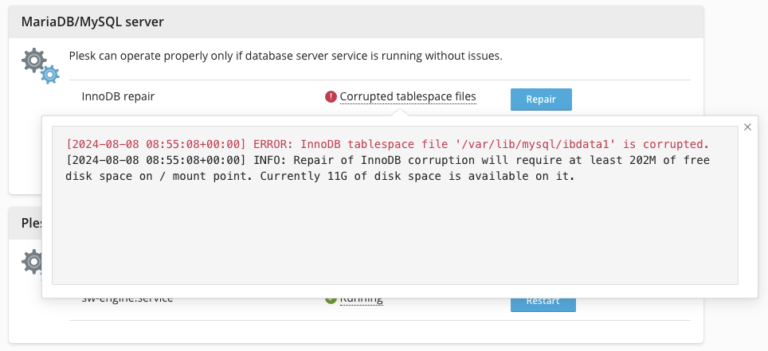
Backup processes can fail when files become corrupted, especially when handling large databases or active applications. If a database is being written to during backup and the system lacks proper locking or snapshot support, the resulting backup may be unusable. Outdated plugins and poorly designed scripts often cause partial reads, incomplete dumps, or corrupted backup files.
Network Instability Affecting Remote and Cloud Backups
Network performance directly affects backup success rates. Weak or unstable connections lead to failed uploads, packet loss, and timeout errors, especially when backing up large datasets. Without proper bandwidth allocation or optimized scheduling, backups may run too slowly or fail mid-transfer, leading to incomplete data protection.
Misconfigured Backup Schedules Causing Overlaps and Failures
Backup scheduling errors are another common reason backups fail. Many systems are configured once and never reviewed again. If backups run during peak traffic, server updates, or high resource usage, they may slow down or crash. Schedules must align with low-traffic periods to maintain system stability and ensure backups run smoothly.
Using Outdated Backup Tools and Plugins
Outdated backup solutions often lack compatibility with modern server environments, updated databases, or new security standards. Businesses may continue using old scripts because they “worked before,” but this can lead to silent failures, missing data, or corrupted backups. Modern environments require updated tools that support advanced encryption, compression, versioning, and snapshot technologies.
Human Errors and Configuration Mistakes
Human mistakes remain a major driver of backup failures. Simple errors—such as deleting backup directories, modifying file paths, changing permissions, or forgetting to update credentials—can break backup processes. Even minor environment changes, like renaming a folder or migrating to a new server, can cause backups to stop without warning.
Partial Backups Leading to Incomplete Restores
Some businesses mistakenly assume all critical data is being backed up. In reality, they may be backing up website files but not databases, or applications but not logs and configuration files. During a crisis, missing pieces mean failed recovery. A proper backup strategy must include files, databases, configs, logs, emails, API keys, and everything required to restore the entire system.