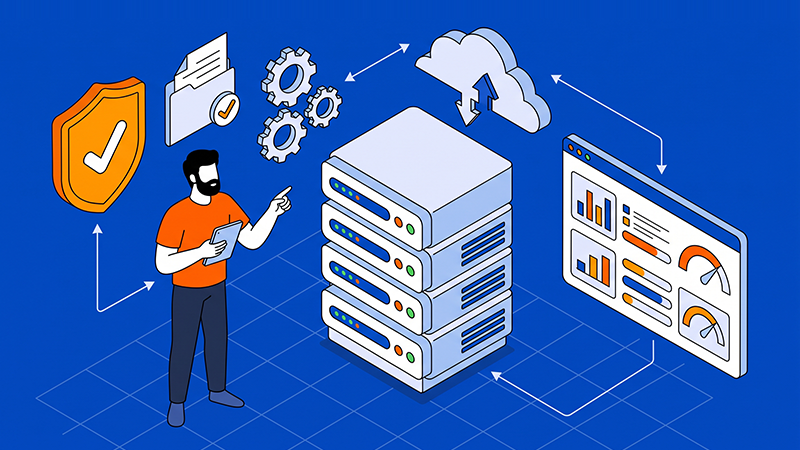
A CI/CD runner executes the jobs that build, test, scan, package, and deploy software. Hosting runners on dedicated servers can give a team predictable CPU, memory, storage, and network capacity, but reliability depends on how the runner is designed and operated.
The server is only the execution base. A production-ready setup also needs a reproducible image, clear workload boundaries, protected credentials, controlled concurrency, monitoring, and a recovery process that can rebuild the runner when required.
Define what the runner should own
Start by listing the jobs the runner will execute and the resources they require. Build and test workloads may need different toolchains, storage layouts, network access, and security policies, so one unrestricted runner should not automatically handle every repository.
- Separate trusted deployment jobs from untrusted or user-submitted build jobs. Use runner labels, isolated queues, or different servers when the trust level, network access, or secret exposure is different.
- Decide which settings belong in the runner repository and which actions remain the hosting provider’s responsibility, such as server provisioning, reinstallation, IP changes, remote-console access, hardware replacement, and maintenance windows.
A workload-led design is also important when comparing dedicated server infrastructure for different industries.
Tip: Treat the runner as a replaceable execution environment, not as a server that stores irreplaceable build state.
Build a reproducible runner image
A reliable runner should be created from a documented operating-system baseline and a versioned toolchain. Record the runtime versions, package sources, build tools, container engine, certificates, system settings, and monitoring agents that the jobs depend on.
Use an image, configuration-management role, or infrastructure-as-code workflow that can recreate the same environment. Avoid installing tools manually on production runners without recording the change, because undocumented fixes become difficult to review and reproduce.
- Pin important tool and dependency versions where compatibility matters, and define how the baseline is patched and rebuilt.
- Keep runner configuration separate from application source code, while making the configuration change history reviewable in Git.
Plan the build workspace and cache
CI/CD jobs can consume significant temporary storage. Source checkouts, compiled dependencies, container layers, test reports, and build artifacts should have an explicit retention and cleanup policy so one failed or oversized job does not exhaust the server.
A dedicated server may provide useful local capacity for build caches, but caches should be treated as performance aids rather than the only copy of an artifact. For SaaS teams, the guidance on scaling SaaS platforms also shows why infrastructure choices should follow service dependencies and traffic patterns.
- Measure disk capacity, I/O latency, network throughput, and cache hit rate under realistic parallel jobs.
- Keep important artifacts in an appropriate artifact repository or backup process instead of relying on the runner workspace.
Protect secrets and access paths
A runner can access source code, deployment systems, package registries, and production services, so its permissions should be limited to the jobs it actually runs. Do not store passwords, private keys, API tokens, or long-lived credentials in the repository or in unprotected runner files.
- Prefer short-lived credentials, protected deployment variables, workload identity, or a dedicated secrets manager where the CI/CD platform supports them.
- Restrict SSH, administrative access, outbound network paths, and runner registration permissions. Review who can change runner labels and workflow definitions.
A dedicated server improves resource separation from other hosting customers, but it does not make arbitrary build code safe by itself. Untrusted jobs still need isolation, least privilege, patching, and a defined response process if a runner is compromised.
Control concurrency and capacity
Set concurrency limits based on the server’s CPU, memory, storage, and network capacity rather than on the number of jobs waiting in the queue. Too much parallelism can make every build slower and may cause timeouts in shared databases, registries, or test services.
- Create runner labels for different toolchains or workload sizes, such as general builds, heavy compilation, integration tests, and deployment jobs.
- Use queue time, job duration, CPU saturation, memory pressure, disk latency, and failure rate to decide whether to tune the runner, move to a larger server, or add another runner.
The objective is consistent job performance, not simply the highest possible utilisation. Leave enough capacity for operating-system tasks, monitoring, security scans, and recovery actions.
Validate deployments and monitor the runner
Every runner change should pass configuration checks before it reaches production. The pipeline should show the proposed difference, identify the affected runner, and make approval explicit for changes to access rules, network controls, toolchains, or deployment permissions.
- Use separate stages for validation, staging, approval, and production deployment. Test changes on a canary or non-critical runner when they affect the operating system, container engine, kernel, or shared dependencies.
- Monitor runner availability, queue time, job duration, exit codes, disk usage, certificate expiry, package updates, and unexpected administrative access.
Recovery planning should also consider the stable infrastructure and integration requirements described in the guide to dedicated servers for enterprise ERP systems.
Plan drift, maintenance, and recovery
Manual edits, emergency fixes, provider actions, and package updates can make a runner differ from its declared configuration. Schedule drift checks and decide whether each difference should be reverted, adopted into Git, or escalated for review.
Keep the runner rebuild process separate from normal job execution. Document how to reinstall the operating system, restore configuration, re-register the runner, rotate credentials, reconnect monitoring, and verify that builds and deployments work again.
- Keep known-good image versions and configuration commits available for rollback.
- Test recovery separately from ordinary deployment, including loss of the runner, loss of its local cache, and a failed update.
Coordinate the hosting provider and operations model
CI/CD automation cannot control a capability that the hosting provider does not expose. Before production adoption, confirm how remote-console access, operating-system images, reinstallation, backups, network changes, hardware replacement, and support escalation are handled.
- Record provider tickets and maintenance windows in the same operational documentation used for runner changes.
- Define who approves provider-side actions and how the result is reconciled with the runner inventory and repository configuration.
Conclusion
Reliable CI/CD runners on dedicated servers come from a controlled operating model rather than from hardware alone. A versioned runner image, separated workloads, protected secrets, measured capacity, drift checks, monitoring, and tested recovery make build and deployment work more predictable.
Dataplugs dedicated servers provide a stable physical base for teams that need predictable runner resources and control. Start with a small, clearly defined runner scope, validate the full lifecycle, and expand capacity as the workload grows.
For more information, visit the Dataplugs website or contact sales@dataplugs.com.