What Do HTTP 500, 502, 503, and 504 Errors Mean?
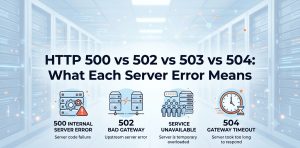
HTTP 500, 502, 503, and 504 errors identify different failure conditions in a server-side request path. HTTP 500 indicates an unexpected server-side processing failure, HTTP 502 indicates that a gateway or proxy received an invalid response from an upstream server, HTTP 503 indicates temporary service unavailability, and HTTP 504 indicates that a gateway or proxy did not receive a timely response from an upstream server.
These status codes belong to the HTTP 5xx class, but they do not describe the same infrastructure problem. RFC 9110 defines 500 as a generic server-side failure, 502 as an invalid response received by a gateway or proxy, 503 as temporary inability to handle a request, and 504 as a gateway or proxy timeout while waiting for an upstream response.
The most useful way to interpret these errors is to identify the component that generated the response and then trace the request through the architecture. A modern website may involve a browser, CDN, load balancer, reverse proxy, web server, application runtime, database, cache, container, and external API, so the visible 5xx response may represent a downstream symptom rather than the original root cause.
How Does the HTTP Request Travel Through a Production Stack?
A production HTTP request commonly passes through multiple infrastructure layers before an application generates the final response. A browser may first connect to a CDN or load balancer, which forwards the request to a reverse proxy such as Nginx or Apache before the proxy communicates with PHP-FPM, Node.js, Tomcat, Python, .NET, or another application service.
The application can then depend on additional systems such as MySQL, PostgreSQL, Redis, object storage, authentication services, payment APIs, or other internal services. Each dependency introduces another potential failure point, which explains why two websites displaying the same HTTP status can have completely different root causes.
This architecture also explains why troubleshooting should begin with the request path rather than with the assumption that the web server itself has failed. A 500 normally directs attention toward application or origin processing, while 502 and 504 require closer examination of the gateway-to-upstream relationship. A 503 requires investigation of service availability, capacity, health checks, maintenance state, and resource limits.
How Does HTTP 500 Differ From 502, 503, and 504?
HTTP 500 represents an unexpected condition encountered while the server processes the request. Application exceptions, runtime failures, invalid configuration, permission problems, resource exhaustion, incompatible dependencies, and software defects can all result in a 500 response when the application cannot complete the request and does not provide a more specific status.
HTTP 502 represents a different failure boundary because a gateway or proxy received an invalid response from its upstream server. A reverse proxy can therefore return 502 even though the proxy process itself remains healthy. The upstream application may have crashed, closed the connection unexpectedly, returned an invalid response, or otherwise failed to provide the response expected by the gateway.
HTTP 503 indicates that the service is temporarily unable to handle the request. Scheduled maintenance, overload, exhausted workers, connection limits, resource constraints, health-check failures, and deliberate traffic shedding can produce this status. HTTP 504 instead identifies a timeout condition where the gateway or proxy waits for an upstream response but does not receive it within the applicable time period.
What Does HTTP 500 Internal Server Error Usually Indicate?
HTTP 500 identifies a generic server-side processing failure. The status does not identify the exact application defect, so engineers must correlate the response with the application runtime, web server, operating system, deployment history, configuration, dependencies, and resource state.
A PHP application, for example, can produce HTTP 500 when it encounters an unhandled exception, fatal runtime failure, incompatible configuration, unavailable dependency, or another condition that prevents request processing. Node.js, Java, Python, and .NET applications can produce similar outcomes when their runtime or application logic cannot complete a request successfully.
Memory pressure can also contribute to application-level failures. When an application approaches its configured memory limit or the underlying Linux system experiences severe memory pressure, processes can fail to allocate required memory and may terminate unexpectedly. For that reason, diagnosing a 500 should include both application-level evidence and operating-system resource conditions.
What Does HTTP 502 Bad Gateway Usually Indicate?
HTTP 502 identifies an invalid response received by a gateway or proxy from an upstream server. This distinction is important because the component returning the 502 may be functioning correctly while the upstream application is unavailable, unstable, misconfigured, or returning an unexpected response.
A common example involves Nginx or Apache communicating with an application runtime such as PHP-FPM, Node.js, or Tomcat. If the upstream process terminates unexpectedly, closes a connection prematurely, or fails to provide the response expected by the proxy, the frontend may return 502 to the client even though the actual failure originated deeper in the application stack.
The investigation should therefore cover both sides of the gateway boundary. Engineers should determine whether the upstream process is healthy, whether the expected socket or network connection remains available, whether connection resets occur, whether the application accepts requests, and whether a recent deployment or configuration change altered the communication between the proxy and upstream service.
5xx Errors Keep Coming Back?
Don’t treat every HTTP 500, 502, 503, or 504 as the same problem. ACTSupport traces recurring server errors across the application, web server, reverse proxy, database, network, and Linux infrastructure to identify the actual failure point.
Get Server Management Support →
What Does HTTP 503 Service Unavailable Usually Indicate?
HTTP 503 identifies temporary inability to handle a request. RFC 9110 specifically describes this status in the context of temporary overload or scheduled maintenance and allows a server to communicate a retry interval through the Retry-After header when appropriate.
A service can intentionally generate 503 when it reaches a worker limit, connection-pool limit, queue threshold, CPU constraint, memory limit, or another capacity boundary. Load balancers and orchestration platforms can also produce or propagate 503 responses when no healthy backend instances remain available to receive traffic.
Containerized environments add another important dimension. Kubernetes can remove pods from service when readiness checks fail, while CPU and memory limits can restrict application capacity even when the underlying node still has resources available. Consequently, a 503 investigation should examine service health, backend availability, resource limits, worker capacity, and orchestration behavior rather than assuming that the server has crashed.
What Does HTTP 504 Gateway Timeout Usually Indicate?
HTTP 504 identifies a gateway or proxy that did not receive a timely response from an upstream server. The status therefore points toward request latency or upstream responsiveness rather than automatically indicating that the upstream server is completely offline.
Slow database queries represent a common example. An application may remain operational while waiting for a database query to finish, but if the request remains open beyond the reverse proxy’s configured upstream timeout, the proxy can return 504 to the client. External APIs, storage systems, application locks, overloaded workers, network latency, and connection-pool exhaustion can produce similar conditions.
Timeouts exist at multiple layers, which makes 504 troubleshooting particularly important in distributed applications. A CDN, load balancer, reverse proxy, application runtime, database client, and external API client can all have different timeout values. Increasing one timeout without understanding the complete chain can simply move the failure deeper into the architecture.
How Can You Quickly Distinguish 500, 502, 503, and 504?
The fastest diagnostic approach is to associate each status with its primary failure boundary. A 500 generally directs attention toward origin or application processing, a 502 toward an invalid upstream response, a 503 toward temporary service availability or capacity, and a 504 toward an upstream response that arrived too late.
| HTTP Status | Primary Meaning | Typical Failure Boundary | Common Investigation |
|---|---|---|---|
| 500 | Internal Server Error | Application / Origin | Runtime, application, configuration, permissions, resources |
| 502 | Bad Gateway | Gateway → Upstream | Upstream service, connection, protocol, proxy |
| 503 | Service Unavailable | Service availability / capacity | Maintenance, overload, workers, health checks, limits |
| 504 | Gateway Timeout | Gateway → Upstream timing | Application latency, database, API, network, timeout |
This distinction prevents a common troubleshooting mistake: changing proxy settings before determining whether the upstream application actually failed. A 504 caused by a 30-second database query requires a different response from a 502 caused by a crashed PHP-FPM pool, while a 503 caused by maintenance requires a different response again.
How Should You Troubleshoot HTTP 5xx Errors in Production?
Production HTTP error troubleshooting should begin by identifying which component generated the response. Engineers should correlate the status code with request timestamps, application behavior, upstream availability, CPU and memory utilization, storage latency, network connectivity, database performance, worker utilization, health checks, and recent configuration or deployment changes.
A 500 investigation should focus primarily on application and origin processing. A 502 investigation should examine the gateway-to-upstream communication path. A 503 investigation should focus on service availability and capacity, while a 504 investigation should measure where request latency accumulates and which timeout threshold terminates the request.
This correlation-based approach also prevents unnecessary restarts. Restarting a service can temporarily clear a crashed process, but it cannot correct an application defect, database bottleneck, incorrect routing, insufficient capacity, or an incorrectly configured dependency. Preserving evidence before restarting a production component can also make the eventual root-cause analysis more accurate.
Why Can the Same Application Produce Both 502 and 504 Errors?
An unstable upstream application can produce both 502 and 504 responses during the same incident. A backend that repeatedly crashes may initially cause the proxy to receive invalid or prematurely terminated responses, while surviving workers can later become saturated and fail to respond before the proxy timeout.
This behavior demonstrates why the HTTP status visible to the client does not necessarily identify the first failure in the dependency chain. Engineers should reconstruct the incident timeline and determine which component changed state first rather than treating every 502 or 504 as an independent event.
How Do Database and Network Dependencies Create HTTP 5xx Errors?
Backend dependencies can indirectly generate HTTP 5xx responses when they prevent an application from completing the original HTTP request. A database lock, slow query, exhausted connection pool, unavailable API, network route failure, storage delay, or service-discovery problem can keep an application worker occupied until the frontend layer returns an error.
The resulting status depends on how the failure propagates through the architecture. An application may return 500 after an unhandled database exception, a proxy may return 502 after an invalid upstream response, a service may return 503 when it deliberately rejects work, or a gateway may return 504 when the upstream remains silent beyond the configured timeout.
How Do Containers, Load Balancers, and Reverse Proxies Affect 5xx Errors?
Modern infrastructure adds multiple control points that can generate or propagate HTTP 5xx responses. Load balancers can stop routing traffic to unhealthy instances, reverse proxies can reject or time out upstream connections, and container orchestration systems can remove workloads from service when health or readiness conditions fail.
Resource limits also matter in containerized environments. A container can encounter CPU throttling or memory constraints even when the physical or virtual host has spare capacity, causing application latency or service availability problems that eventually surface as HTTP errors. Engineers therefore need visibility into both the host and the workload-level resource model.
What Should You Check Before Increasing an HTTP Timeout?
Increasing a timeout should follow evidence that the application legitimately requires additional processing time. If a request normally completes quickly but suddenly takes tens of seconds because of database contention, increasing the proxy timeout can hide the underlying problem while allowing application workers and connections to remain occupied for longer.
Longer timeouts can also amplify resource contention under sustained traffic. When slow requests consume workers, connection pools, memory, and sockets for extended periods, queue depth can increase and cause healthy requests to become slower as well. Timeout tuning should therefore accompany root-cause analysis rather than replace it.
What Does a Production HTTP 5xx Incident Look Like?
A representative production incident can begin with a database performance regression that increases application response time. Suppose an application normally completes requests in under one second, but a deployment introduces an inefficient query that causes some requests to wait several seconds for database results; as concurrency increases, application workers become occupied for longer periods, upstream latency rises, and the reverse proxy eventually begins returning 504 responses.
A different phase of the same incident can produce 503 responses if the application reaches its worker or connection capacity and deliberately refuses additional requests. If some application workers subsequently terminate unexpectedly, the proxy can also observe invalid upstream responses and return 502. The visible HTTP error therefore changes as the underlying resource condition changes.
The correct remediation would focus on the first measurable bottleneck rather than treating the final HTTP status as the root cause. Database query analysis, connection-pool sizing, application worker capacity, request latency, proxy timeout configuration, and application health should be evaluated together before modifying infrastructure limits.
How Can Monitoring Prevent Recurring HTTP 500, 502, 503, and 504 Errors?
Effective server monitoring services 24/7 should correlate HTTP error rates with infrastructure and application metrics rather than alerting only on the presence of a 5xx response. CPU utilization, memory pressure, storage latency, network errors, application latency, worker saturation, database response time, upstream availability, and request volume provide the context required to distinguish application failures from infrastructure bottlenecks.
Monitoring also becomes more valuable when it preserves historical trends. A sudden increase in 500 responses immediately after a deployment suggests a different investigation path from a gradual rise in 504 responses that coincides with increasing database latency and traffic volume. Historical baselines help engineers identify whether the event represents a software regression, capacity problem, dependency failure, or transient infrastructure condition.
How Can Linux Server Management Help With Recurring HTTP Errors?
Recurring 5xx errors often require investigation across multiple infrastructure layers rather than a single web-server configuration change. Linux server management services can cover operating-system health, web-server configuration, application runtime behavior, resource utilization, service availability, storage performance, network connectivity, security controls, and monitoring.
For hosting providers and businesses operating multiple websites or applications, managed server support services can also provide ongoing infrastructure oversight when internal teams need additional operational coverage. The useful objective is not simply to make an error page disappear but to identify why the request failed and reduce the likelihood of the same failure returning.
What Is the Key Takeaway About HTTP 500, 502, 503, and 504?
HTTP 500, 502, 503, and 504 describe different failure conditions and should not be treated as interchangeable server errors. A 500 points toward unexpected server-side processing, a 502 toward an invalid upstream response, a 503 toward temporary service unavailability, and a 504 toward an upstream response that did not arrive within the required time.
The most reliable troubleshooting method is to trace the complete request path and correlate the HTTP status with application behavior, resource utilization, dependency performance, network conditions, and infrastructure events. This approach identifies the actual failure boundary instead of relying on the error code alone.
Frequently Asked Questions About HTTP 500, 502, 503, and 504
What Is the Difference Between HTTP 500 and 502?
HTTP 500 indicates that the server encountered an unexpected condition while processing the request, whereas HTTP 502 indicates that a gateway or proxy received an invalid response from an upstream server. The troubleshooting path therefore differs because a 502 usually requires investigation of the gateway-to-upstream relationship.
Why Does a Website Return 503 Service Unavailable?
HTTP 503 indicates that the server is temporarily unable to handle the request. Common conditions include scheduled maintenance, temporary overload, exhausted application resources, health-check failures, or service-level capacity limits.
What Causes a 504 Gateway Timeout?
HTTP 504 occurs when a gateway or proxy does not receive a timely response from an upstream server required to complete the request. Slow applications, database queries, external APIs, network delays, worker saturation, and timeout configuration can all contribute to this condition.
Can a 502 and 504 Have the Same Root Cause?
A 502 and 504 can originate from the same underlying upstream problem even though their HTTP meanings differ. An unstable application may initially return invalid responses that produce 502 errors and later become unresponsive long enough to produce 504 errors, depending on how the gateway observes the failure.
Should I Increase the Server Timeout When I Get a 504?
Increasing a timeout should not be the first response to a 504. Engineers should first determine why the upstream request exceeds the existing timeout because a slow database, overloaded application, blocked worker, external API, or network problem may require remediation rather than a larger timeout value.
How Do I Troubleshoot HTTP 500, 502, 503, and 504 Errors?
Troubleshooting should begin by identifying which component generated the response and then correlating the HTTP status with application behavior, upstream connectivity, service availability, resource utilization, request latency, and recent infrastructure changes. The four codes represent different failure conditions, so treating every 5xx response as the same problem can lead to ineffective changes.